

How stablecoin card funding works
Understanding the mechanics behind stablecoin card funding is essential for managing your digital assets efficiently. The term "stablecoin card" often masks a significant operational difference between two distinct financial models: traditional prepaid fiat cards and native on-chain stablecoin cards. Recognizing this distinction determines how you fund your account, how quickly your transactions clear, and which fees you will incur.
Prepaid fiat cards operate on a traditional banking infrastructure. To use these, you must manually sell your stablecoins within the provider's app to convert them into a fiat balance. This pre-funded model requires you to top up your spending limit before you can make purchases. While this method is familiar to many users, it introduces friction and potential delays as you bridge the gap between your crypto wallet and the card's internal ledger.
In contrast, on-chain stablecoin cards allow for direct spending using digital assets. These cards act as a bridge between your blockchain wallet and everyday commerce, often settling transactions in real-time without requiring manual conversion steps. This approach reduces the number of intermediaries and can offer greater transparency in how your funds are utilized.
The choice between these models affects your liquidity and spending speed. Prepaid models may offer broader acceptance but require proactive management of your fiat balance. On-chain solutions provide seamless integration with your crypto holdings but may have varying levels of merchant acceptance depending on the underlying payment network. Always review the provider's official documentation to understand the specific top-up mechanics and associated costs for your chosen card.
Instant reload options for 2026
Speed matters when a card balance hits zero. Most stablecoin cards operate on a pre-funded model, meaning you must manually sell your stablecoins to reload the fiat balance before spending. If the conversion takes too long, you risk declined transactions at the point of sale. We evaluate the fastest reload methods based on official provider documentation and primary fintech reports.
Auto-reload features
Several major providers offer automatic top-up services. When your fiat balance drops below a set threshold, the system sells the required amount of stablecoins from your linked wallet. This removes the need to check balances manually. However, auto-reload often incurs higher fees or requires maintaining a larger minimum balance in your crypto wallet to ensure sufficient liquidity. Check your provider’s fee schedule to see if auto-reload triggers a separate transaction fee.
Bank transfer top-ups
Linking a traditional bank account for direct fiat deposits is another common method. While not always instant, some providers offer real-time ACH or wire transfers. This method is reliable for large reloads but depends on your bank’s processing times. If you need immediate funds, verify if your provider supports instant bank transfers. Some fintech apps partner with third-party payment processors to offer near-instant deposits, but these services may charge a percentage fee per transaction.
Crypto-to-fiat exchanges
For users holding stablecoins in external wallets, manual transfers to the card app are necessary. The speed depends on the blockchain network used. Ethereum-based stablecoins (USDC, USDT) can take minutes to hours depending on network congestion. Solana or Stellar-based stablecoins often settle in seconds. Choose a card that supports your preferred stablecoin network to minimize wait times. Always test a small transaction first to confirm the processing speed.
Comparison of top reload speeds
| Provider | Reload Method | Estimated Time | Fee Structure |
|---|---|---|---|
| Provider A | Auto-reload | Instant | 0.5% per transaction |
| Provider B | Bank Transfer | 1-3 business days | Free for standard ACH |
| Provider C | Crypto Transfer | 5-30 minutes | Network gas fees apply |
Note: Speeds and fees are subject to change. Always verify current terms on the provider’s official website.
Accessories for secure management
Managing stablecoin cards requires attention to security. Consider using a hardware wallet to store your stablecoins before transferring them to your card app. This adds a layer of protection against unauthorized access. Additionally, a dedicated password manager can help you keep track of multiple card accounts and their associated login credentials.


As an Amazon Associate, we may earn from qualifying purchases.
Compare fees and transfer speeds
Funding a stablecoin card is not a single transaction; it is a chain of costs. The true expense of your top-up depends on the friction between your source asset and the card’s pre-funded balance. A method that appears free on the surface often hides steep spreads or network congestion fees.
The following comparison evaluates the most common funding paths. We prioritize official provider data and primary fintech reports to ensure accuracy. Avoid abstract categories; focus on the specific mechanics of each method.
The hidden cost of speed
Instant funding via debit cards or P2P swaps comes with a premium. While convenient, these methods often incur processing fees ranging from 2% to 3% or wider exchange spreads. For large top-ups, this percentage adds up quickly.
Bank wires and ACH transfers are slower but significantly cheaper. However, they introduce operational risk. If your bank flags the transaction as crypto-related, the transfer may be held or rejected, leaving you without funds when you need them most.
Evaluating the trade-off
When choosing a top-up method, balance the urgency of your spend against the cost of the bridge. For small, frequent loads, the convenience of a debit card may justify the fee. For larger, planned expenses, the savings from a bank wire often outweigh the delay.
Always verify the current fee structure directly with your card issuer and exchange. These rates change frequently and can vary based on your account history or regional regulations.
How to fund your stable card
Funding a stablecoin card carries real risk: a single misstep can result in irreversible losses or frozen funds. Before initiating a top-up, ensure your identity verification (KYC) is fully approved and your card status is active. Verify that your source wallet or bank account has sufficient balance to cover the transfer amount plus any network fees.
Step 1: Connect your funding source
Link your primary bank account or crypto wallet to the STABLE Account dashboard. For bank transfers, ensure the account is verified and linked. For crypto, connect a wallet that supports the specific stablecoin you intend to load (e.g., USDC, USDT). Double-check the network compatibility to avoid sending funds to an incompatible chain.
Navigate to the "Add Funds" or "Link Account" section in your STABLE Account settings. Follow the prompts to authorize your bank or connect your Web3 wallet. This step establishes the secure channel for moving capital onto your card.
Step 2: Initiate the transfer
Enter the exact amount you wish to load. Be mindful of daily and monthly limits set by the provider. If using a bank, choose between ACH (slower, often free) or wire transfer (faster, potentially costly). If using crypto, select the correct network (e.g., Ethereum, Solana) to ensure the stablecoin arrives correctly.
Confirm the transaction details. Review the estimated arrival time and any applicable fees. Once confirmed, the transfer request is submitted to the processor. For crypto, this means broadcasting the transaction to the blockchain.
Step 3: Wait for confirmation
Funds do not appear instantly. Bank transfers typically take 1-3 business days to settle. Crypto transfers depend on network congestion but are often faster. During this time, your card balance will not update. Do not attempt to re-initiate the transfer, as this may cause duplicate charges or lost funds.
Monitor your email or in-app notifications for settlement confirmation. Once the funds are confirmed, your card balance will update automatically. You can then use your STABLE Visa® Card for purchases up to the loaded amount.
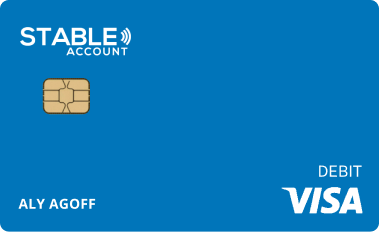
As an Amazon Associate, we may earn from qualifying purchases.
Common questions about card reloading
Reloading a stable value card involves navigating strict limits and processing delays that vary by provider. Understanding these mechanics is essential to avoid declined transactions or frozen funds during high-stakes transfers.
What are the typical daily reload limits?
Reload limits are not universal; they depend entirely on the specific prepaid card issuer and your verification level. For example, the STABLE Visa® Card operates as a reloadable prepaid instrument, meaning purchases and reloads are strictly capped by the available balance and issuer-defined daily maximums. You must set and adhere to these limits directly through the provider’s dashboard, as exceeding them results in immediate transaction failure. Always check the official FAQ for your specific card, such as the STABLE Visa® Card limits page, to confirm current thresholds.
How long do reloads take to process?
Processing times differ significantly between fiat and crypto funding sources. Fiat bank transfers often take 1-3 business days to clear, while instant debit card reloads are typically available immediately but may incur higher fees. Crypto top-ups depend on blockchain network congestion and the exchange’s withdrawal speed. There is no "seamless" instant funding for all methods; delays are common and should be factored into your cash flow planning.
Is linking my bank account secure for auto-reloads?
Linking a bank account for auto-reloads introduces specific security considerations. While major providers use encryption and tokenization, you are granting recurring access to your primary financial account. Ensure you are using a reputable, regulated provider. Review their security protocols, such as two-factor authentication (2FA) and fraud monitoring, before enabling automatic funding. Never link accounts to unverified third-party services.
No comments yet. Be the first to share your thoughts!